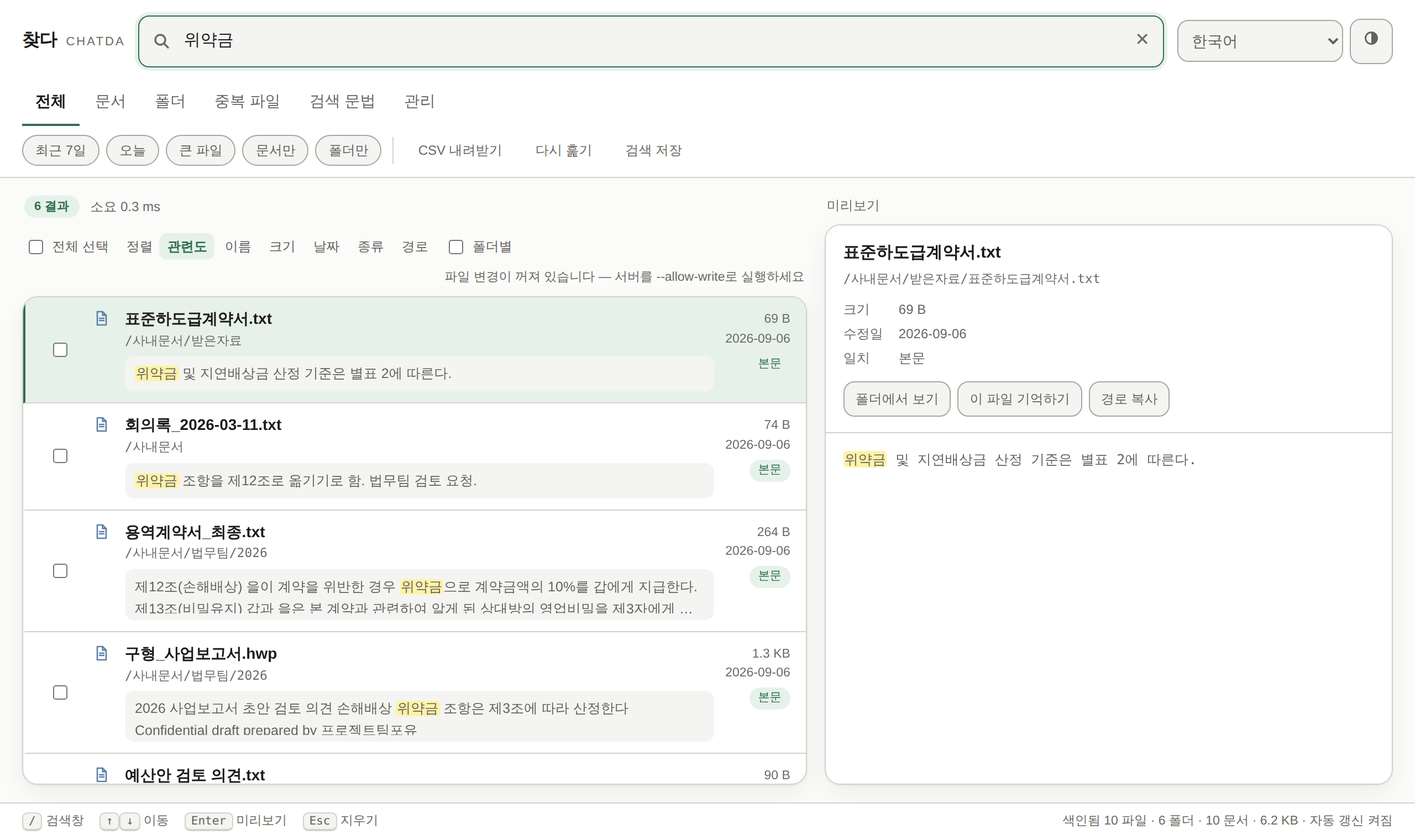
Does it use the internet?
Indexing and search happen entirely on this PC. Your search terms, file names and document contents go nowhere, and there is no account or sign-in. The one exception is a once-a-day check for a newer version — it sends nothing — and you can turn even that off under ⋮ More. If you turn on “Search from your phone” (off by default), the PC answers only phones you paired yourself on the same Wi‑Fi — still without going through the internet.
Do I need admin rights?
No. It installs into your own user folder, so it works on locked-down office PCs too.
How long does the first index take?
Filenames: 1 million files in 1.1 s. Document contents are filled in afterwards — about 22 minutes for 100,000 documents (measured). Filename search works immediately meanwhile, and the tray icon shows progress.
Which file types does it read inside?
Hangul 5.0/3.0/HWPX (including public offices’ distribution documents), PDF, Word, Excel, PowerPoint, ODF, text (including CP949), and documents inside ZIP files. Text in scanned images (png, jpg, tif) and in scanned PDFs without a text layer is read with the recognizer built into Windows — nothing to download. Most “high compression” (JBIG2) scans from office copiers are read too.
Will antivirus or Windows warn me?
It may. The release files are code-signed by PROJECTTEAMFORYOU, but the certificate is new, so SmartScreen can still warn for a while — when it does, check that the publisher shown is PROJECTTEAMFORYOU. The installer's SHA-256 is listed on the download page as well.
Can I send a file I found to someone?
Yes. Press “Copy file” (Ctrl+C) on a result, then Ctrl+V into mail, Teams or a chat app and the file itself is attached. “Copy as text” copies the name, path and matching passage as one block, and PDFs and images can also go through the Windows share sheet. To send several at once, “Zip & copy” bundles just the selected files into one ZIP and copies it, so it pastes as a single file; a window lets you choose where to save it (new folders included), and Shift+click saves to Downloads without asking. CHATDA sends nothing itself — Windows does the sending.
Where is my search history kept?
Queries and their result counts are kept only on this PC, in %LOCALAPPDATA%\chatda\usage.tsv, and never leave it. The “Recent searches” under the search box show that same record, and “Clear history” or the admin view removes it at any time. Searches made from a paired phone are not recorded here.
Can I narrow results with filters?
Yes. Add conditions to the search, such as ext:hwp, date:2026-09, size:>10mb, path:Legal or -copy. Active filters show as chips under the search box and ✕ removes one at a time. A date means the whole day (or month), and "today" starts at midnight in this PC's time zone.
How do I get new versions?
Once a day CHATDA checks for a new version and downloads it, then installs it quietly when you close CHATDA. "Install now and restart" under ⋮ More installs it right away and reopens CHATDA with the same settings. A download is installed only after both its SHA-256 and the PROJECTTEAMFORYOU signature check out, and automatic updates can be turned off under ⋮ More.
How do I uninstall?
Use "Uninstall CHATDA" in the Start menu or the Windows app list. It also removes the %LOCALAPPDATA%\chatda folder with the index and learning data, leaving nothing behind.
Can I search straight from File Explorer?
Yes. Right-click a folder and choose “Search this folder with CHATDA” to open a search limited to that folder. It is registered for your account only and can be turned off under ⋮ More. On Windows 11 it is under “Show more options”.
Can scripts or AI tools call it?
Yes. AI tools such as Claude connect over MCP, and every tool is marked read-only. Scripts call the read-only API (/api/v1), open only on 127.0.0.1; the address and token are in %LOCALAPPDATA%\chatda\api.json. Neither leaves your PC.
Can I use it on my phone?
Yes, there are two Android apps. CHATDA searches a phone’s documents on that phone only, and it has no internet permission at all, so it cannot send anything anywhere. CHATDA Remote searches your PC from the phone over the same Wi‑Fi. Android 9 or later.
Is searching my PC from the phone safe?
“Search from your phone” on the PC is off by default. Even when on, only phones you paired yourself by scanning the code on the PC screen can connect; they can only read (no launching or changing), and everything is encrypted with the key shared at pairing. Nothing passes through the internet or our servers, so both must be on the same Wi‑Fi.